Designing a Simulation Platform for Automated Driving
Timeline: 2018.07 - 2020.10
Project type: B2B Product Design
Collaboration: 1 UX, 3 PMs, 10 Developers
My role: Early team member, Design PM, UX/UI Designer
Contents
The Brief
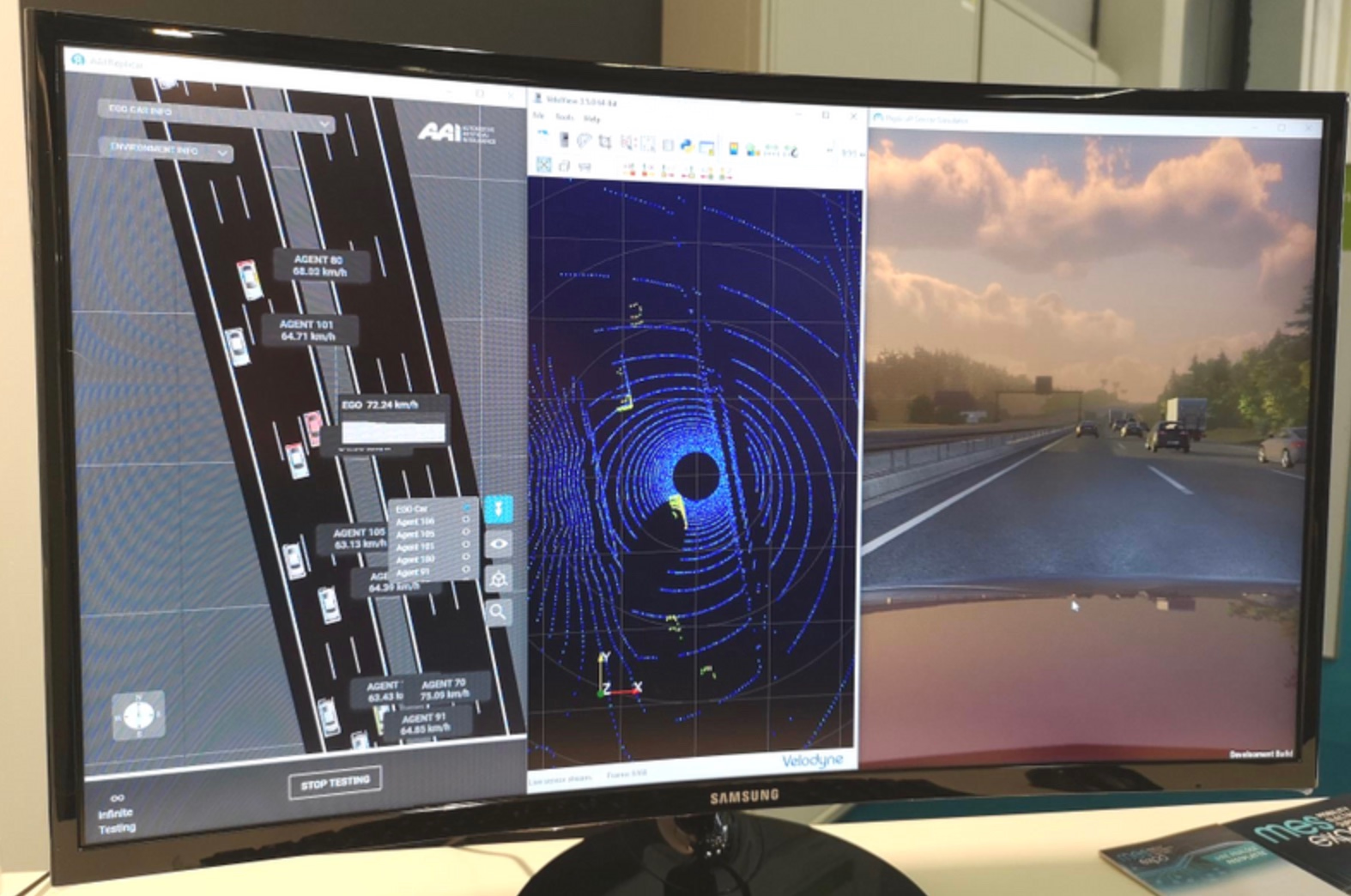
Automotive-AI was a Berlin-based technology company building simulation tools for the safer, faster development of highly automated vehicles. Its product suite helped engineering teams configure, run, replay, and analyze tests before taking algorithms onto public roads.
I joined the company as an early team member and helped shape the product from 0→1. Working with product managers and engineers, I translated complex simulation workflows into several connected B2B modules and owned the UX/UI from problem definition through delivery.
The Goal
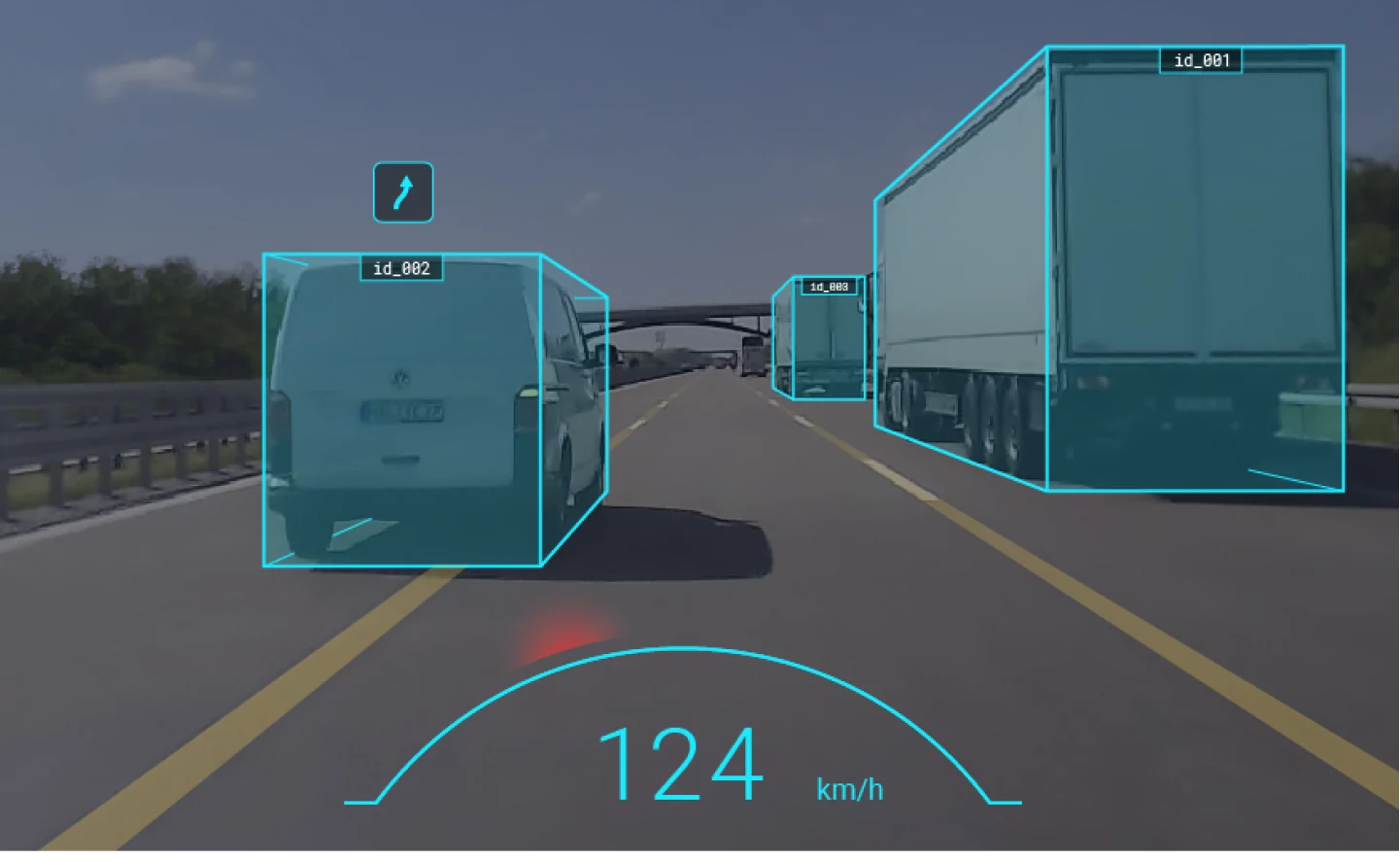
Automated-driving algorithms must be tested across far more conditions than road testing alone can safely or efficiently cover. We set out to create one coherent simulation workflow for our internal algorithm team and client engineering teams, including Audi and Continental.

Understand the Technology
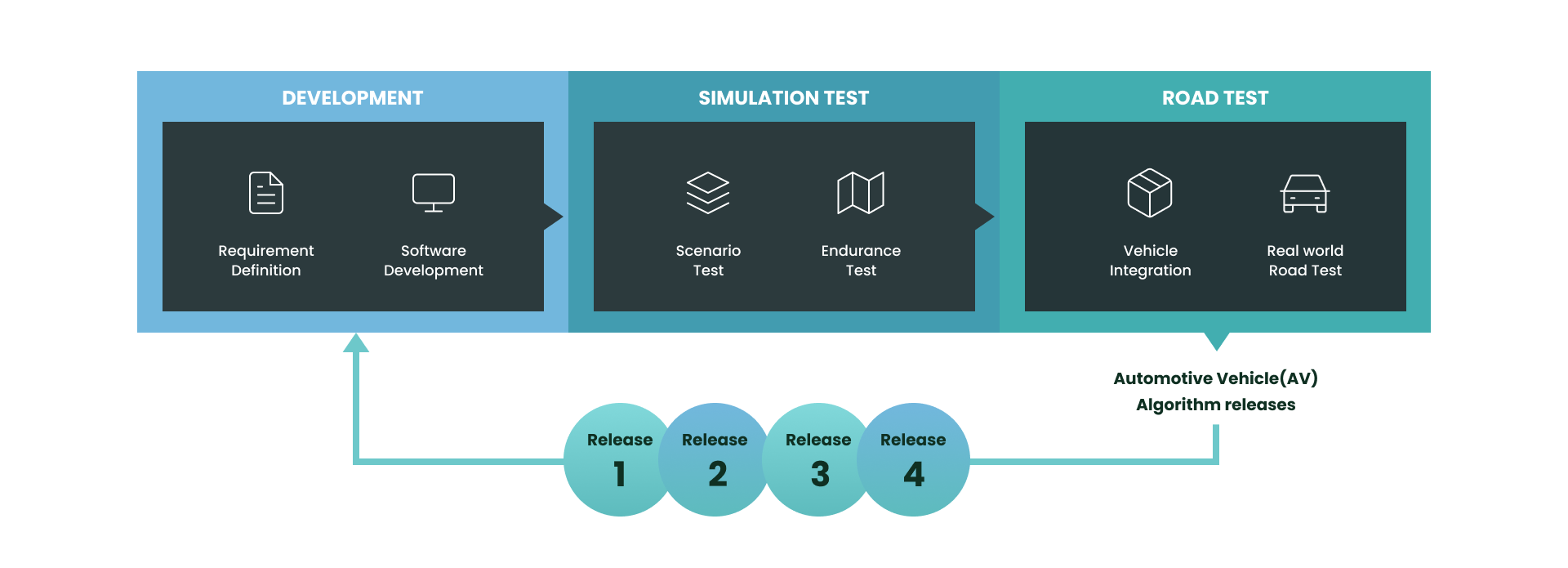
Designing the product required understanding how engineers move from a scenario to a configured test, then inspect the run and diagnose an algorithm’s behavior. Mapping that technical loop gave the team a shared product model and kept the interface grounded in real engineering tasks.
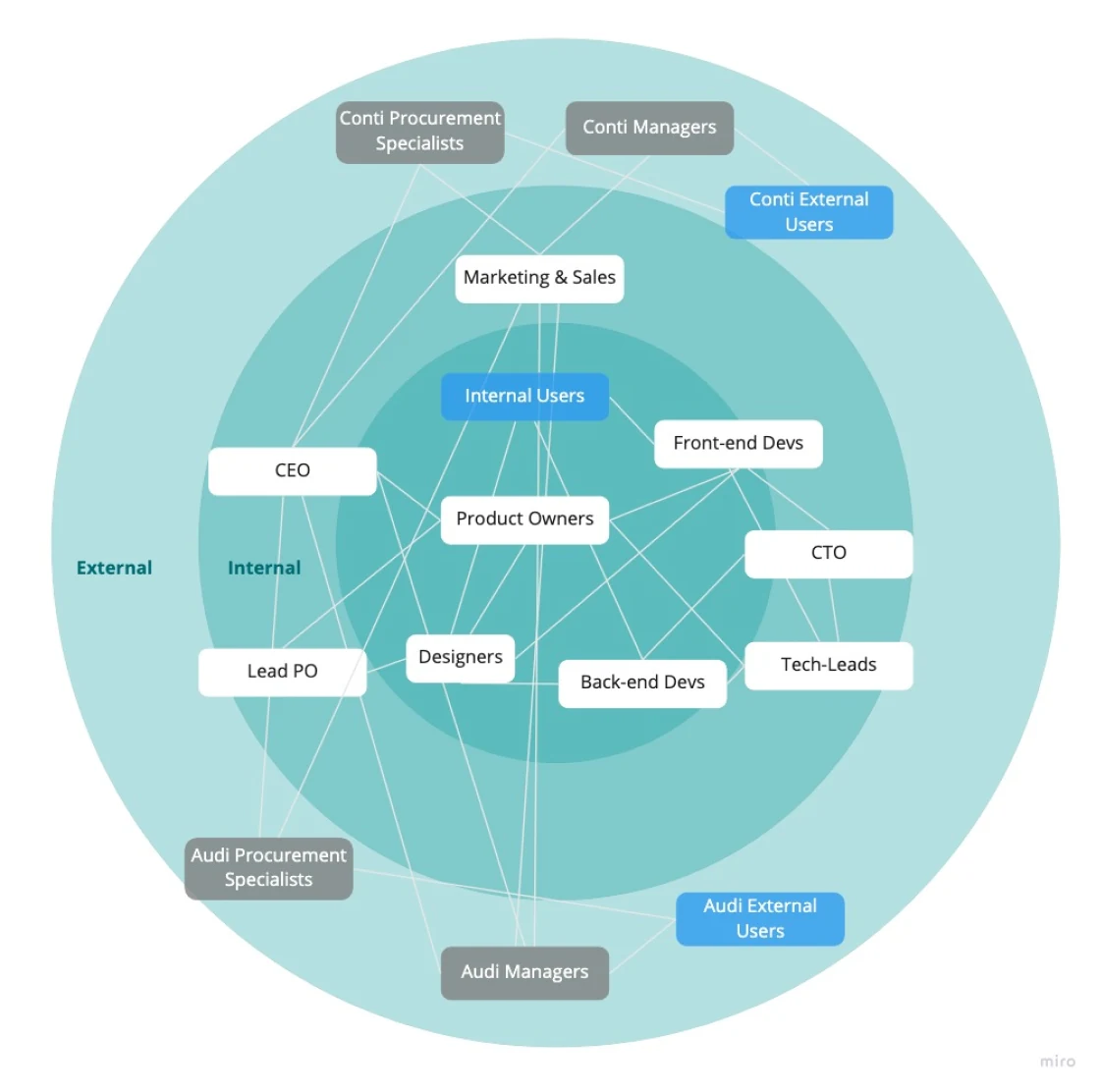
Understand Stakeholders
I used workflows and prototypes to align product, engineering, 3D, algorithm, and client perspectives. This was less about handing off screens and more about making dependencies, terminology, and priorities visible early enough to shape the product.
Understand the Users
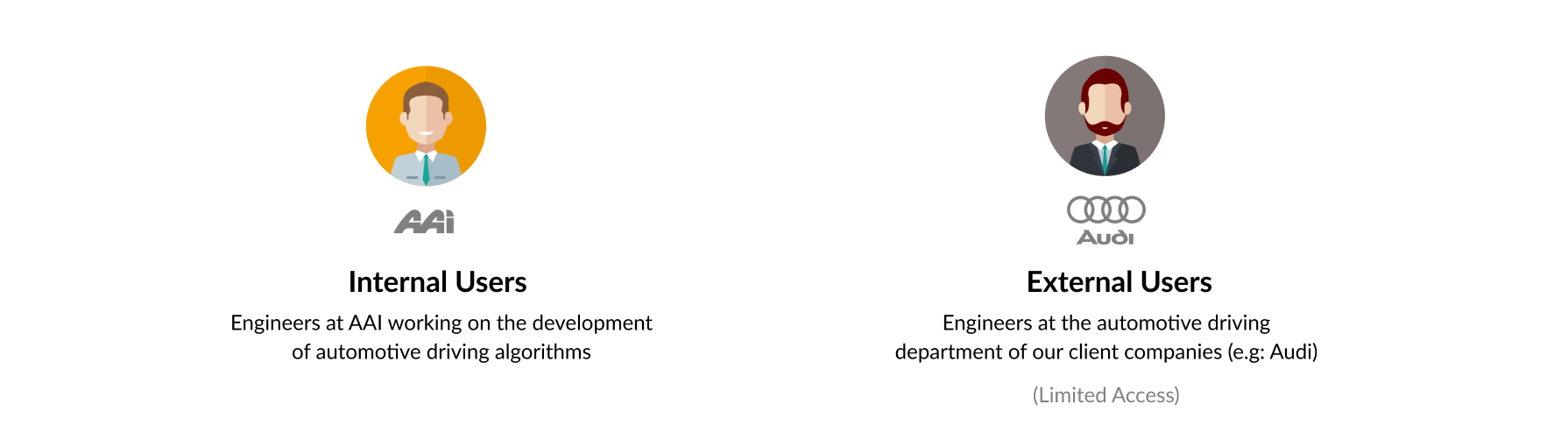
The product served both AAI engineers and engineers at client companies. Direct access to external users was limited during development, so I combined the evidence available from client context with deeper observation and interviews inside AAI, while keeping assumptions explicit.
Research
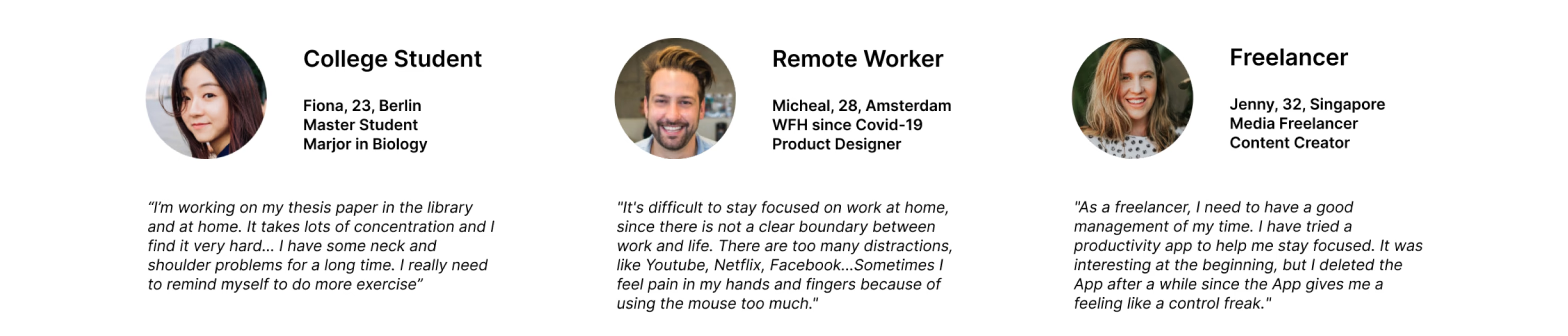
Interviews with internal engineers exposed how simulation work crossed tools and teams. I used those conversations to clarify the vocabulary, inputs, failure states, and handoffs the product needed to support before committing to interface structure.
User Journey
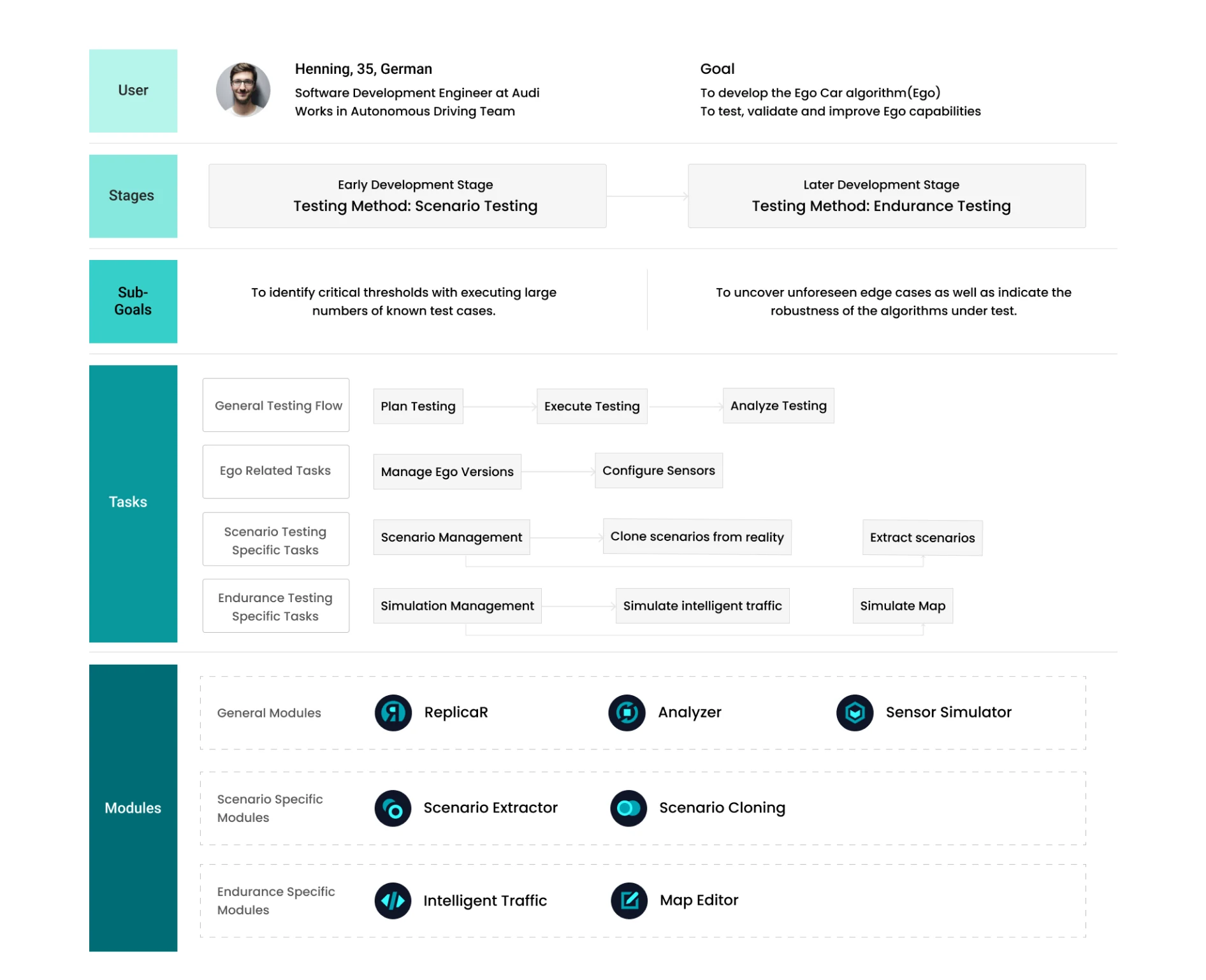
The research converged on three connected jobs: managing tests, configuring a run, and replaying results. Making that end-to-end journey explicit helped us divide the suite into modules without losing continuity for the engineer moving between them.
Module 1: Analyzer
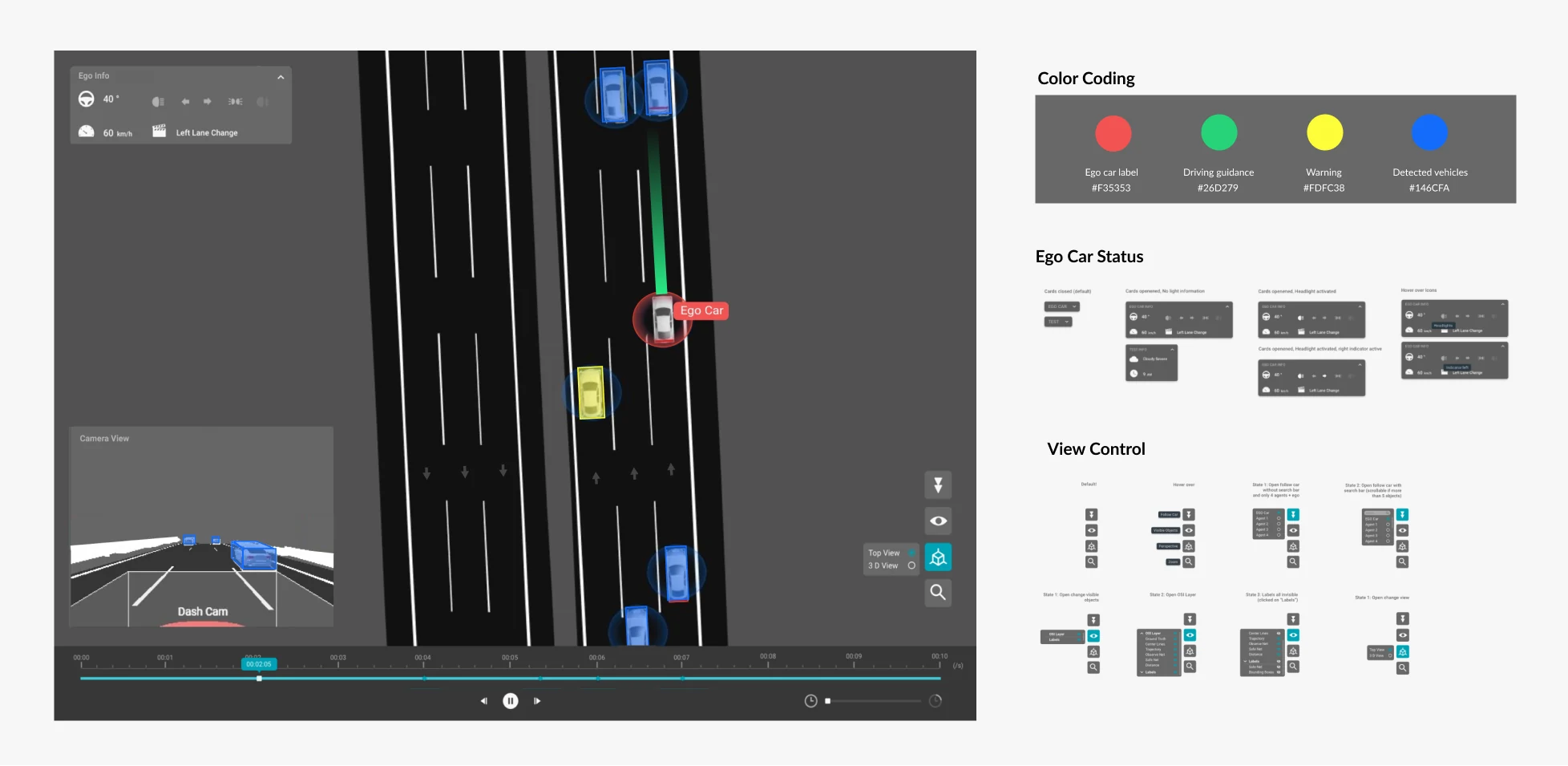
Analyzer is a lightweight 3D environment for replaying a test. I worked directly with 3D and front-end engineers to define how users navigate time, inspect events, and connect visual playback with diagnostic data.
Module 2: ReplicaR
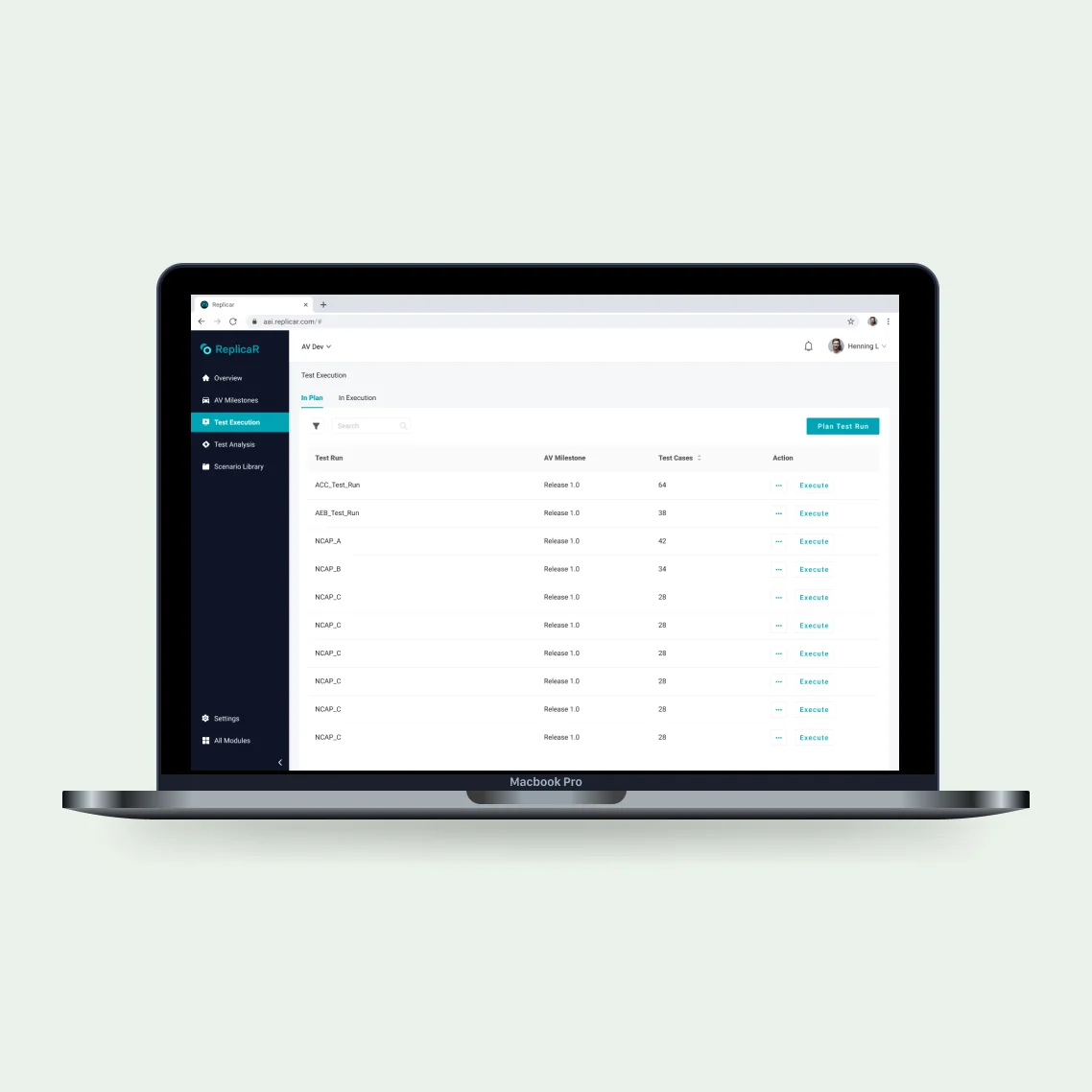
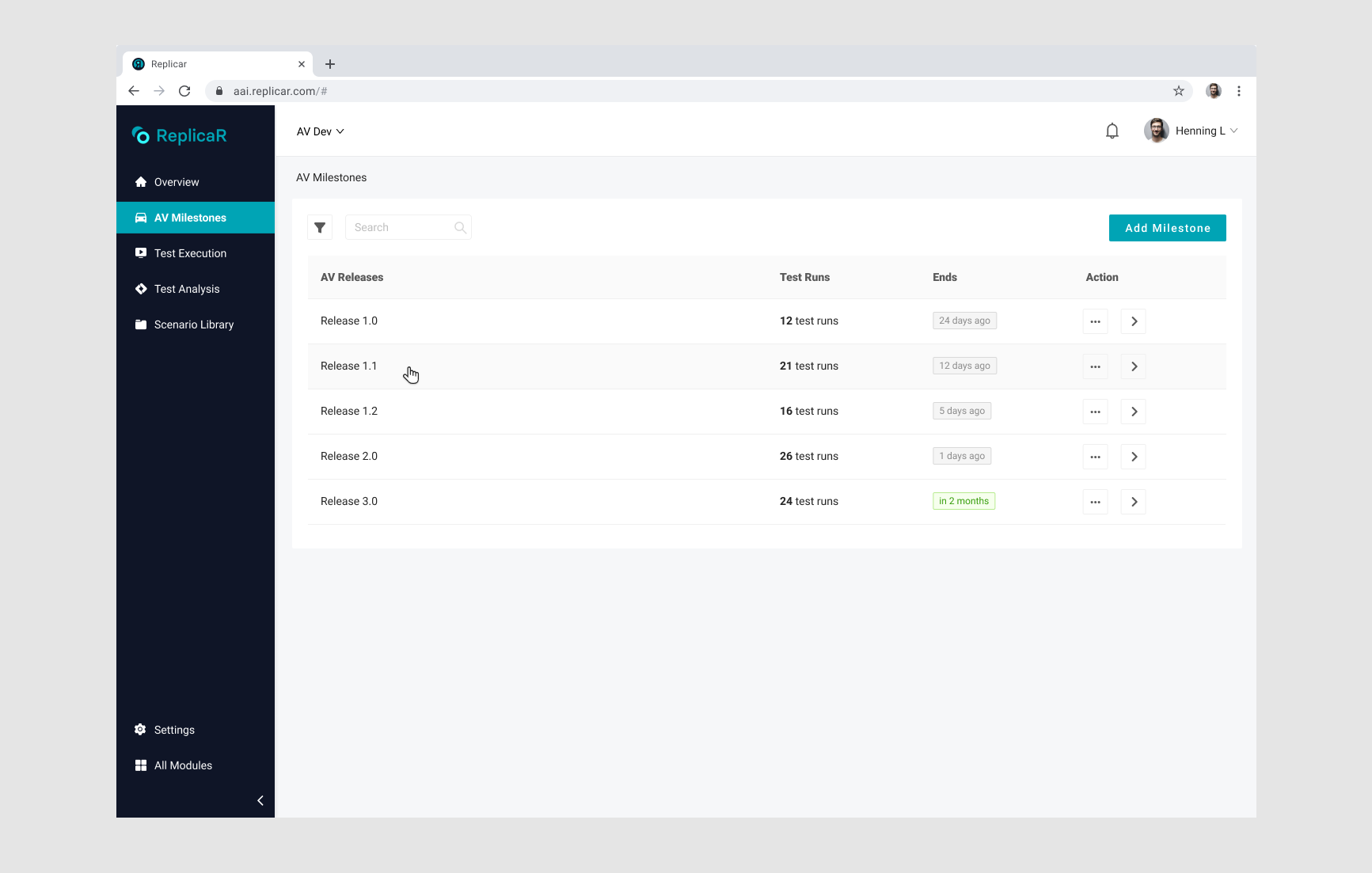
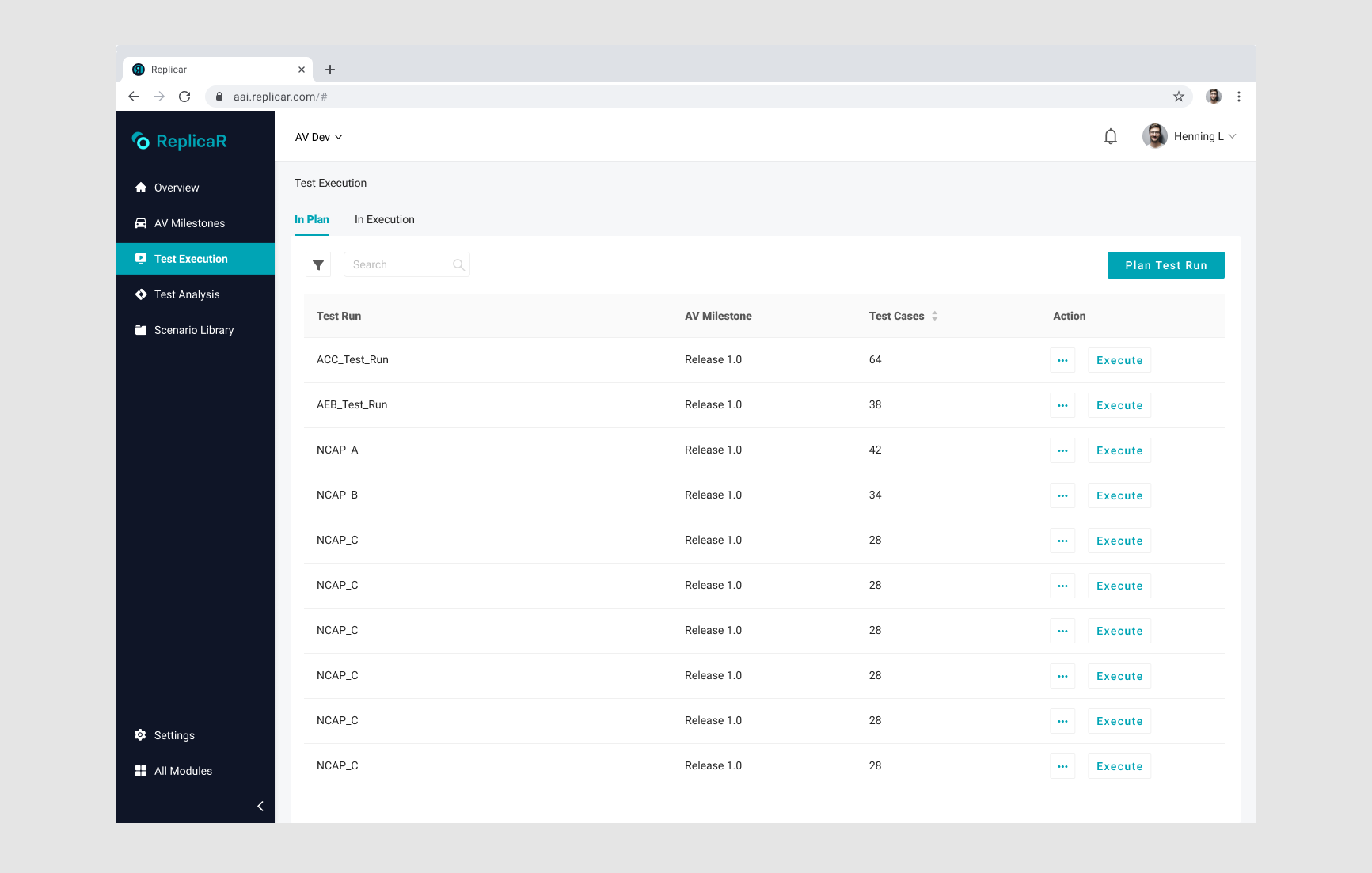
ReplicaR is the operational dashboard for simulation test management. It brings configuration, execution status, and analysis into one system so engineers can understand where a test sits and what needs attention next.
Module 3: Scenario Extractor
Scenario Extractor turns recorded road data into scenarios that can be reused in simulation.
Observing engineers complete this work revealed a fragmented, manual process. The design opportunity was to reduce repeated handling while preserving the control experts needed over scenario data.
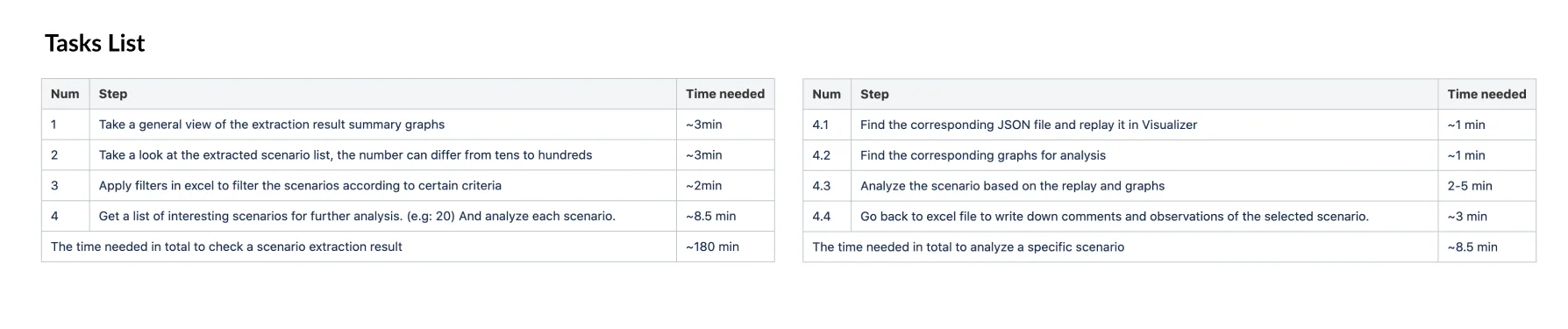
I followed the observation with a workshop for internal users, using their real tasks to separate essential controls from information that could be deferred or automated.
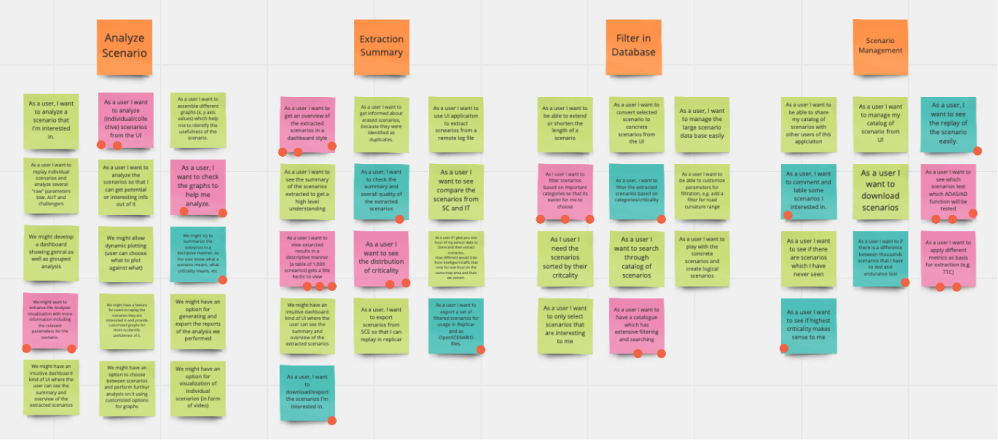
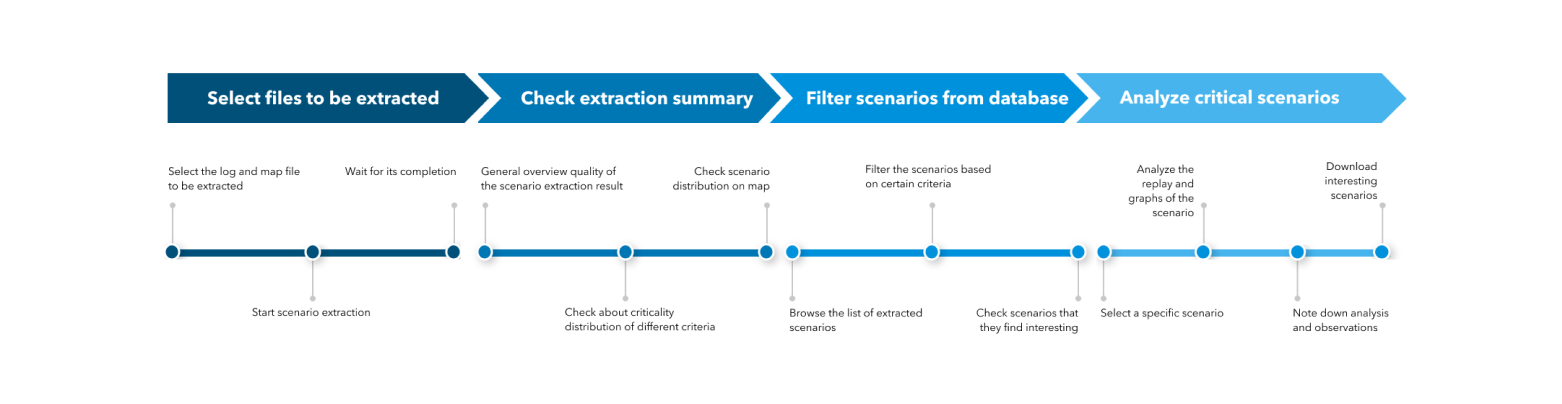
I translated the observed workflow and workshop findings into a task flow that the product and engineering teams could use to scope the module.
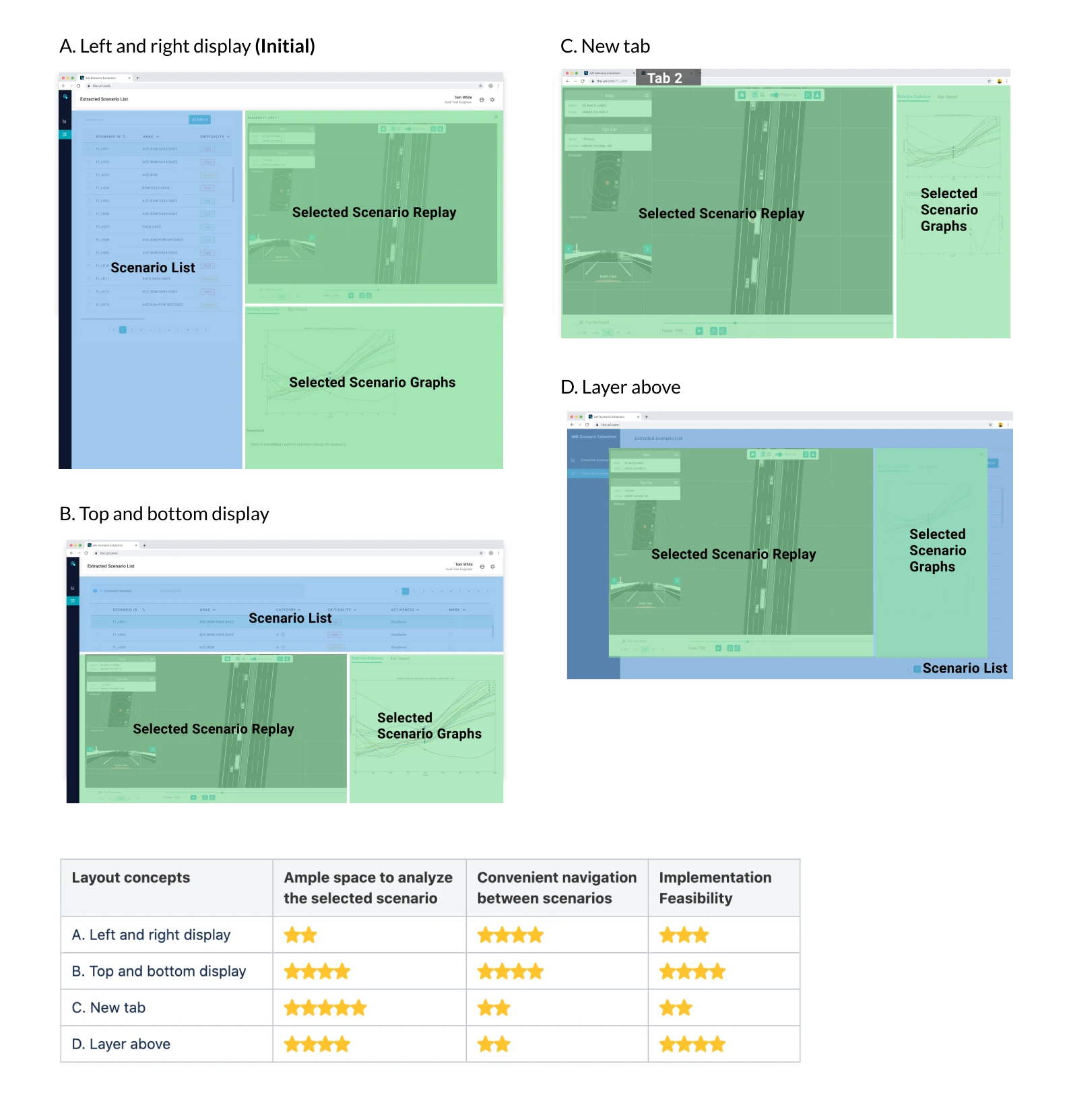
I evaluated layout directions against scanability, data density, task sequence, and implementation constraints. Plan B best balanced expert control with a clearer path through the extraction workflow.
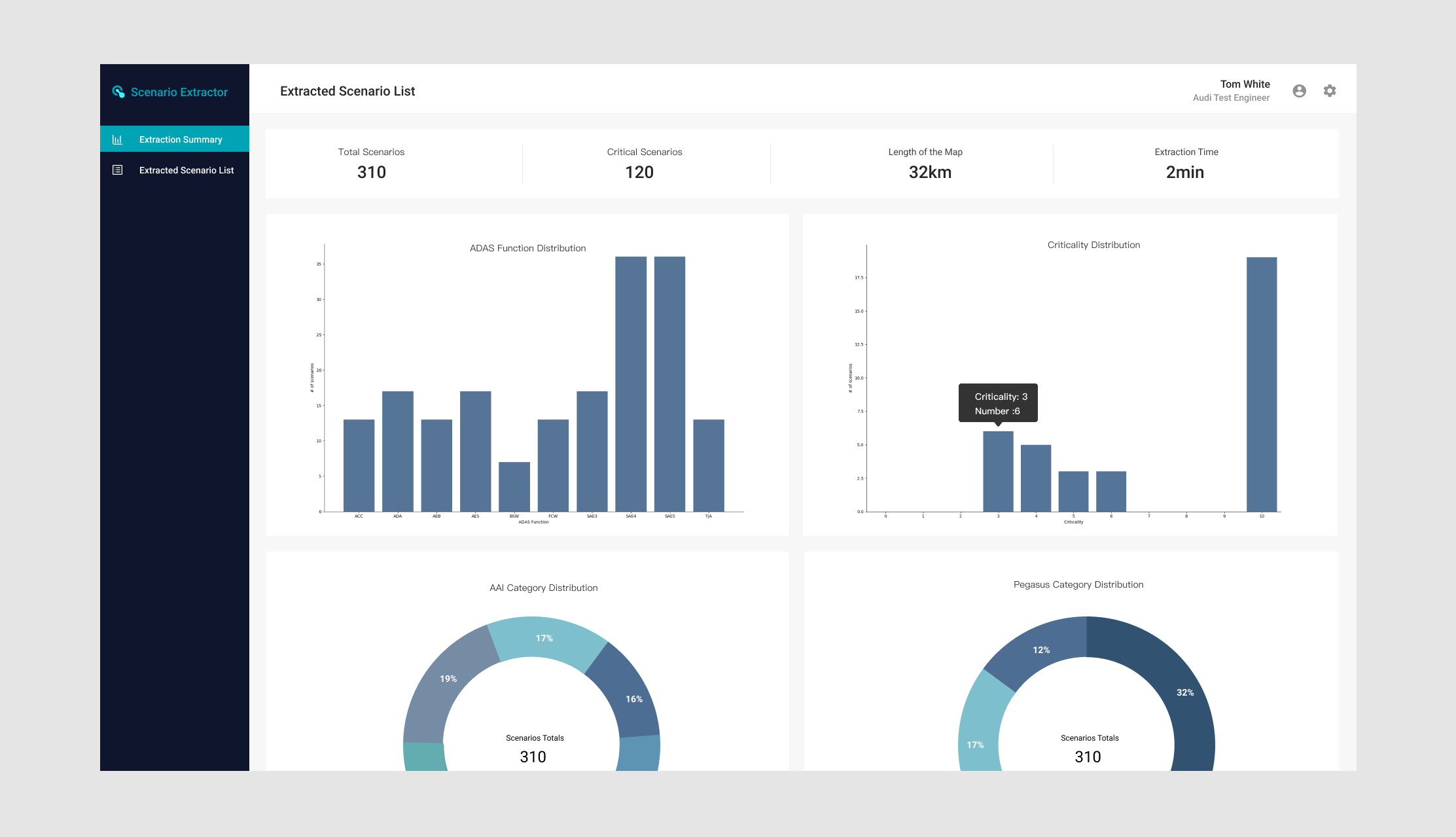
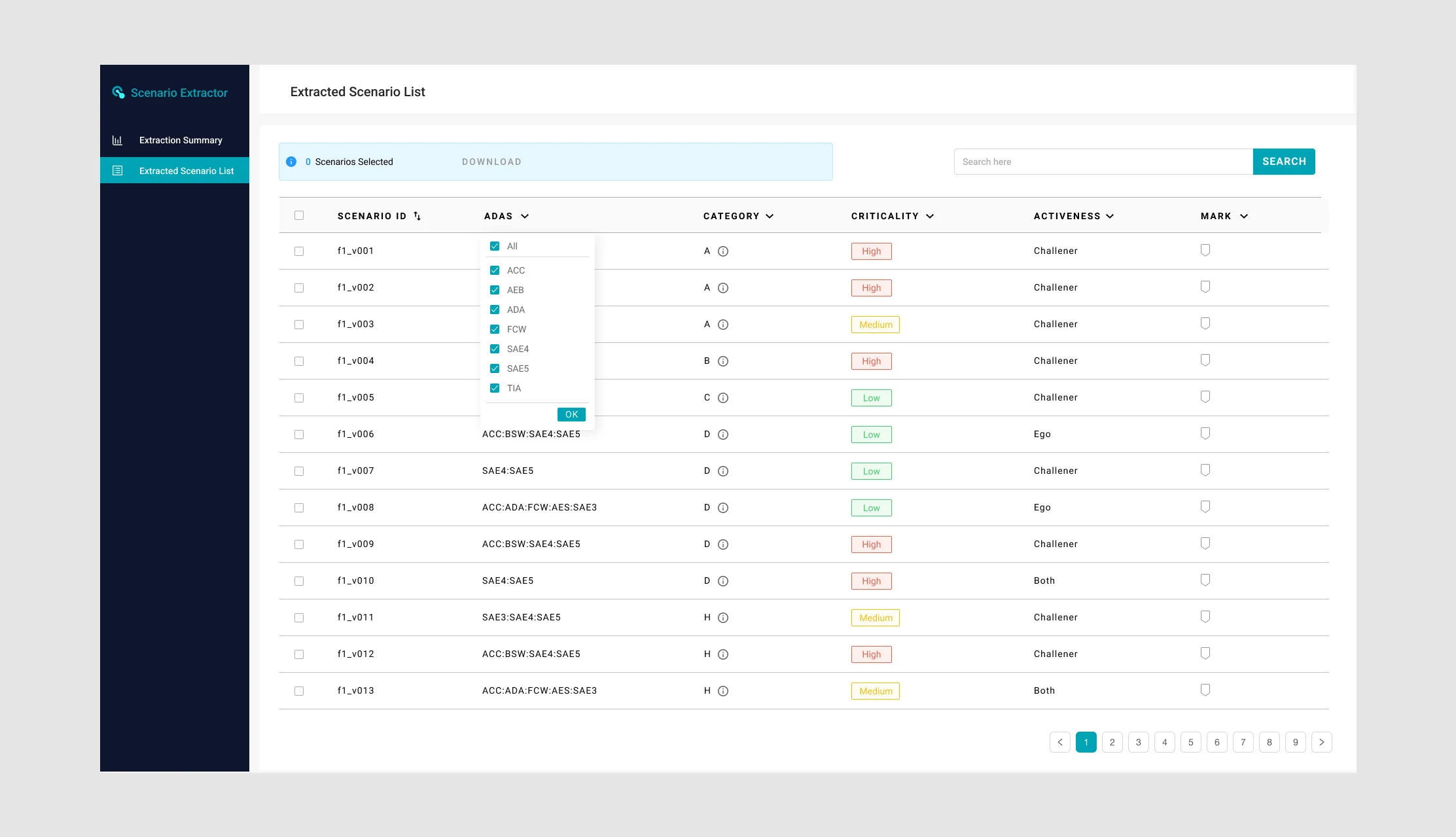
The delivered interface combined data visualization with dense table operations, allowing engineers to inspect a scenario and manage its underlying records without switching contexts.
Outcome
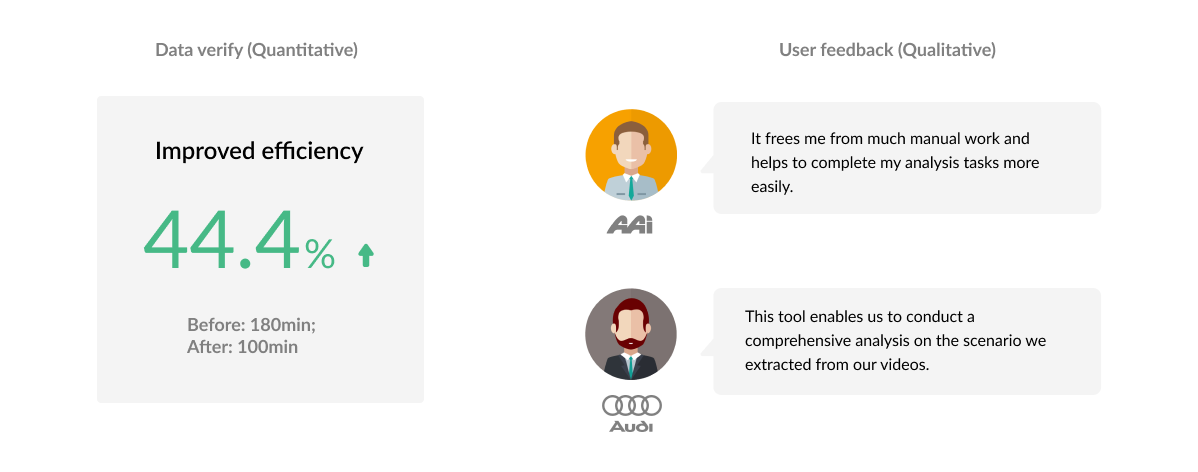
The work established the UX foundation for a connected simulation suite and delivered multiple modules used to configure, manage, replay, and analyze tests. Where validated product metrics are unavailable, the case focuses on the shipped scope and the workflow changes visible in the product.
Thoughts
Make ambiguity concrete.
In an emerging technical domain, shared workflows and prototypes were essential alignment tools. They turned abstract system discussions into product decisions the team could test and build.
Be explicit about evidence.
Limited access to client engineers meant triangulating internal observation, interviews, product context, and stakeholder input while clearly separating what we knew from what still needed validation.
Design the system, then sequence it.
Seeing the full simulation loop helped me prioritize the right module and interaction depth for each phase rather than treating every requirement as equally urgent.